


FT SIMULATION - BUY ON FAB
CURRENT VERSION, BETA 4. March 2026.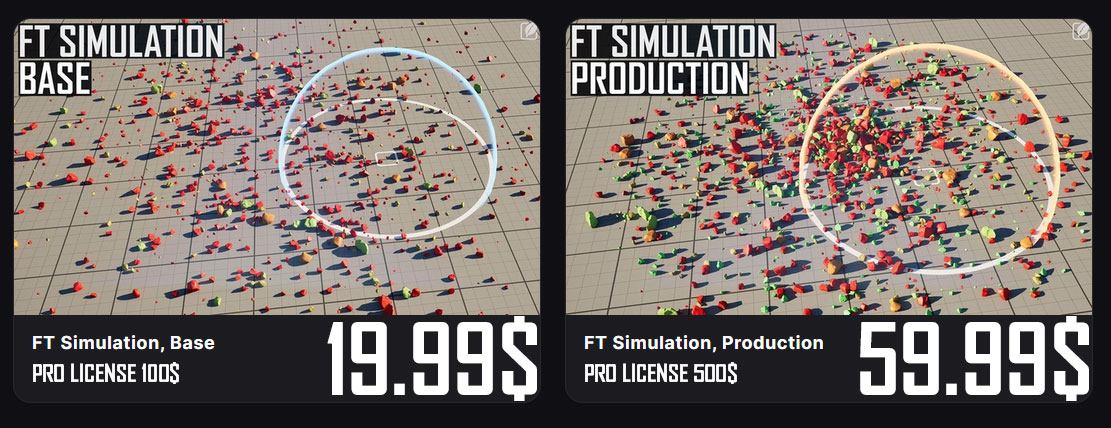
It is part of a larger group of tools I personally use for game development. As such, it will receive updates based on intense testing, requirements and performance measuring.
Origin of the tool comes from needing to break down photogrammetry terrain pieces into smaller components. The Fuerteventura rock landscape made this instantly clear.
Large areas and meshes require high texture sizes and geometry detail are hard to manage. It is impossible to get good pixel density and sharp geometry results.
The answer is to not capture an area but everything in it. This gives full 360 components that can be infinitely rearranged into new formations with little memory usage.
This way, a small amount of rocks could form an entire terrain, but the tool for all this did not exist.
The focus is functionality. The tools visuals are what they are, as time is extremely limited. This also means as the complexity grows some things are held together with ductape for now.
Quick feature overview for BETA 4 release.
Recording new videos now, this is an overview video for BETA 3.
FT Simulation
Use physical simulation as a placement tool, paint and brush instances into your scene and let them settle naturally.
It is aimed at increasing environmental quality through controlled layering and bringing attention to detail.
A tool focused on hand crafted scenes, a fun and easy way of adding that little extra to elevate the art that is game development.
Built as a hybrid between C++ and Editor Utility Widget, it provides Blueprint flexibility while C++ handles performance critical operations natively.
How it works
Instance transforms are stored as int16 positions and int8 rotations, lowering the memory cost of standard transforms. At runtime these compressed offsets reconstruct into Hierarchical Instanced Static Mesh Components, giving you density with minimal memory footprint. Additionally, other Per instance custom data can be stored for different ranges of behavior.
Key Features
Physics based placement, push, pull and whirl instances at runtime with mass normalized forces
Sleep and disable timers, actors manage their own physics lifecycle automatically
int16/int8 transform compression, significantly reduced memory footprint versus standard HISM
Per instance custom data, Array driven material variation, lighting, paint channels and custom floats
Re Simulate, adjust parameters and run again without losing your data
Re Instance, re uses position data from other simulations to reconstruct, storing only the actor as additional cost for thousands of instances
Re Compress, re bake instance data into compressed format after edits
Per instance Cast Shadow calculation, automatically disable shadows on occluded instances
Merge Runtime Actors, combine multiple simulation actors into one
Magnet, used to draw instances to a location
Distance to Center, per instance distance value driving material falloff and variation
Culling Radius, remove instances after specified distance
Convert to Static Mesh and back, full flexibility to move your instances between workflows
Convert to Niagara, feed instance data directly into Niagara systems for runtime interaction
Packed Level Actor support, convert to static mesh, pack and use in PCG
Component Settings, full control to optimize hism components
Sample Scene Lighting, capture ambient light intensity per instance (will likely deprecate this in favor of ray based AO)
Sample Scene Color, capture environment color per instance and drive material tint
The focus now is on "interaction nodes", providing out of the box presets to explode and perform abilities that manipulate instances by moving data between the hism components and niagara. The paint tool will be a powerful contribution to this, painting instances with masks and values that can be used for blending any sort of behavior in materials or Niagara.
Roadmap
Paint Tool, brush gradients and masks directly onto instances, stored in custom data channels, used for blending and gameplay
Interaction nodes, Blueprint presets that can be used for gameplay interaction
Tiling Simulation, create tiling textures and matching instance data
Area Manager, zone based instance management to reduce uobject,component count
Height calculations for Re Instance, follow new terrain surface
Runtime LOD generation, automatic low poly replacement mesh at distance or for shadow proxy
Starter content


Demo level Plugin Content > FT_Simulation_Examples > Maps > FT_Simulation_Overview
Support: support@foliagetools.com Twitter https://x.com/artbyrens
Disclaimer/Additional Notes: This product is currently in BETA with reduced price.
Once complete the price will go up, Q4 2026, to 125USD for personal and 600USD for Professional use.
AI was used to locate engine variables and source references, clean up and validate code, peer review implementations and catch vulnerabilities.
All architecture, functionality, structure and design decisions are my own.
INSTALL AND ENABLE PLUGIN

Install Plugin , Open the "Epic Games Launcher"
1: , Navigate to the "Unreal Engine" Tab
2: , Navigate to the "Library" Tab, here you find your Fab content.
3: , "Install to Engine", choose your engine version and install.
Location it should end up in but can vary:
This PC > OS > Program Files > Epicgames > UE_5.4 or 5.5 5.6 5.7 .. > Engine > Plugins > Marketplace > FTSimula43416ac89302V1 > Content > FT_Simulation
1: , Navigate to the "Unreal Engine" Tab
2: , Navigate to the "Library" Tab, here you find your Fab content.
3: , "Install to Engine", choose your engine version and install.
Location it should end up in but can vary:
This PC > OS > Program Files > Epicgames > UE_5.4 or 5.5 5.6 5.7 .. > Engine > Plugins > Marketplace > FTSimula43416ac89302V1 > Content > FT_Simulation

Enable Plugin , In Editor
1: , In the Editor's main menu, navigate to "Edit"
2: , In the Edit menu, at the bottom, click "Plugins", this will open up the Plugins menu
3: , Under "Installed" you should find "FoliageTools", this is where FT Simulation is located
4: , Make sure the enable checkbox is checked or set to true
5: , Back in the Editor, you should now see a small button located in the main tool bar. Pressing this button will open up the Simulation tool menu
(for 5.4 first time using the tool, close and open the window again, it otherwise wont spawn to the correct dimensions)
1: , In the Editor's main menu, navigate to "Edit"
2: , In the Edit menu, at the bottom, click "Plugins", this will open up the Plugins menu
3: , Under "Installed" you should find "FoliageTools", this is where FT Simulation is located
4: , Make sure the enable checkbox is checked or set to true
5: , Back in the Editor, you should now see a small button located in the main tool bar. Pressing this button will open up the Simulation tool menu
(for 5.4 first time using the tool, close and open the window again, it otherwise wont spawn to the correct dimensions)
SETTINGS OVERVIEW

Instance Count , shows total instances spawned
Game Thread , Helps debug current performance. Minimize editor windows for better framerate
Start Simulation , will tell the engine to start simulating
Bake and Spawn Actor , will end simulating, stores the data on the actor and compresses it
Re Simulate , turn a simulation actor back into instances to continue
Start Leafblower , next update, use a camera based spawn injecting instances into the scene
Paint Data Channels , next update, paint mask data per instance for custom use
Editor Keep Sim Changes , any actor or change during simulating will be saved
Enable Physics , turns physics back on for all instances, helps re activate floating instances
Disable Physics , turns of all interaction with instances, great to prevent further interaction
Sleep Physics , puts all active instances to sleep, helps cpu perf and can still interact
Set Movable , cache current actor mobility, set to movable, end sim will return to cached state
Re Instance , use instance data from another simulation, only pay memory for a new bp
Re Compress , change compression format in case you want different precision
Center Pivot , average pivot to selected actors
Merge Actors , combine all simulation actors into one
Re Apply Culling , next update, remove instances with different helpers
Spawn Magnet , draw instances towards the magnet location, good for art direction and control
Height Offset For Re Instance , next update, used with re instancing but able to shape to new surface
Sample Color , slow process! render target average color under instances
Sample Scene Lighting , slow process! render target averages brightness under instances
Convert to Simulation Actor , any similar meshes with the same tag will merge to a sim actor
Convert to Static Mesh , break a sim actor into regular static mesh actors
Convert to Niagara , transfer mesh and position data to niagara and spawn systems
Game Thread , Helps debug current performance. Minimize editor windows for better framerate
Start Simulation , will tell the engine to start simulating
Bake and Spawn Actor , will end simulating, stores the data on the actor and compresses it
Re Simulate , turn a simulation actor back into instances to continue
Start Leafblower , next update, use a camera based spawn injecting instances into the scene
Paint Data Channels , next update, paint mask data per instance for custom use
Editor Keep Sim Changes , any actor or change during simulating will be saved
Enable Physics , turns physics back on for all instances, helps re activate floating instances
Disable Physics , turns of all interaction with instances, great to prevent further interaction
Sleep Physics , puts all active instances to sleep, helps cpu perf and can still interact
Set Movable , cache current actor mobility, set to movable, end sim will return to cached state
Re Instance , use instance data from another simulation, only pay memory for a new bp
Re Compress , change compression format in case you want different precision
Center Pivot , average pivot to selected actors
Merge Actors , combine all simulation actors into one
Re Apply Culling , next update, remove instances with different helpers
Spawn Magnet , draw instances towards the magnet location, good for art direction and control
Height Offset For Re Instance , next update, used with re instancing but able to shape to new surface
Sample Color , slow process! render target average color under instances
Sample Scene Lighting , slow process! render target averages brightness under instances
Convert to Simulation Actor , any similar meshes with the same tag will merge to a sim actor
Convert to Static Mesh , break a sim actor into regular static mesh actors
Convert to Niagara , transfer mesh and position data to niagara and spawn systems

Calculate Cast Shadow, automatically trace if an instance is in shadow and change behavior
Remove Shadow Comp, remove shadow split created by calculate cast shadow
Trace Accuracy, how many samples need to hit before an instance is considered occluded
Cast Shadows, can cast shadow
Use light Channel, which light channel can affect the instances
Cast Shadows in Shadow, if occluded, instances in shadow, should cast shadow
Use light Channel In Shadows, which light channel occluded instances should respond to
Show Debug Color, color instances green to verify
Draw Debug Trace, show traces
Create Packed Level Actor, convert selected actors to a packed level actor using the editors own function
Pivor Actor,
External Actors,
Keep Level Actors,
Pivot Type,
Library Add New Data Asset, adds another data asset entry to spawn from
Remove, remove data asset
Checkbox, enable or disable spawning from this data asset
Data Asset, which data asset to use
Spawn Amount Multiplier, multiply the amounts specified in the data assets
Spawn Scale Multiplier, multiply the min and max scales specified in the data assets
Sleep After Duration, after x seconds put newly spawned instance to sleep
Stop Simulating After Duration, after x seconds disable phyisics on newly spawned instance
Delay Variance, random variation in seconds to avoid instances to all change at the same time
Trace Complex Collision MACD, trace against simple collision for terrain for optimization
Remove Shadow Comp, remove shadow split created by calculate cast shadow
Trace Accuracy, how many samples need to hit before an instance is considered occluded
Cast Shadows, can cast shadow
Use light Channel, which light channel can affect the instances
Cast Shadows in Shadow, if occluded, instances in shadow, should cast shadow
Use light Channel In Shadows, which light channel occluded instances should respond to
Show Debug Color, color instances green to verify
Draw Debug Trace, show traces
Create Packed Level Actor, convert selected actors to a packed level actor using the editors own function
Pivor Actor,
External Actors,
Keep Level Actors,
Pivot Type,
Library Add New Data Asset, adds another data asset entry to spawn from
Remove, remove data asset
Checkbox, enable or disable spawning from this data asset
Data Asset, which data asset to use
Spawn Amount Multiplier, multiply the amounts specified in the data assets
Spawn Scale Multiplier, multiply the min and max scales specified in the data assets
Sleep After Duration, after x seconds put newly spawned instance to sleep
Stop Simulating After Duration, after x seconds disable phyisics on newly spawned instance
Delay Variance, random variation in seconds to avoid instances to all change at the same time
Trace Complex Collision MACD, trace against simple collision for terrain for optimization

Mass Scale , dynamically change mass for all instances
Friction , dynamically change friction for all instances
Linear Damping , dynamically change damping for all instances
Bounciness , dynamically change bounciness for all instances
Equal Velocity Ignore Mass , if true, avoid using mass and apply equal force to all instances
Average Mass Set By Tool , set by code, to read back the average weight you are trying to move
Impulse Multiplier Min , apply more or less force to lighter instances by mass
Impulse Multiplier Max , apply more or less force to heavier instances by mass
Spawn Radius , brush size
Spawn Method , keep spawning or per mouse click
Max Instance Count , cap the amount of instances allowed to spawn in total
Push Strength , how much force to apply to push
Pull Strength , how much force to apply to pull
Whirl Spin Strength , how much force to apply to whirl
Height To Spawn From , distance above surface to spawn instances
Spawn In Folder Path , folder in the outliner of the level or map new actors will be placed in
Compression , amount of compression to apply
Re Instance Actor , hand pick an actor to re instance
Destroy Selected Actor Re Instance , if you want to delete the selected actor when using re instance
Destroy Selected Actors Merge Runtime , if you want to delete the selected actors when merging
Destroy Select Actor Convert To Static Mesh , if you want to delete the selected actor when converting
Show Radius , visibility of the radius area in which instances are preserved and culled
Culling Radius , size of the radius from simulation pivot
Culling Floor Height , height in world space, everything under gets culled
Visible in Ray Tracing , hardware lumen, large amount of data in this pass is not great
Affect Lumen Indirect Lighting , small objects should never contribute to this
Affect Distance Field Lighting , small objects should never contribute to this
Contact Shadows , good to have, low cost
Min Draw Distance ,
Start Cull Distance , istance at which instances will start to get removed. please set this, will add a warning in the future.
End Cull Distance , distance at which all instances are culled. important to set and not leave empty, has a massive performance impact.
Generate Overlap Events , really not needed
Collision Enabled , off by default
Shadow Cache Invalidation Behavior , important to keep static, small instances should not break shadow caching
Evaluate World Position Offset , off by default
Disallow Mesh Paint , used with nanite, should not use this feature on instances
Visible in Real Time Sky Captures , few projects need this
Can Affect Navigation , off, visual instances should not affect navigation
Receive Decals , off by default
Cast Shadow , disable all shadows
Height Offset , lowers of lifts the instances up as local offset from spawn point
Allow Niagara Interaction , if interaction nodes can apply
Custom Data Index Light Cache , index for the material property custom data
Sample Scene Lighting Quality , use 1 or 6 samples. VERY SLOW! Need to implement a process bar as above 1000 it will freeze temp
Sample Scene Lighting Offset , bias to move the sample height, higher can give better results if too much actors are close to it
Custom Data Index Red , indexes for the material property custom data to pass along color information
Custom Data Index Green , indexes for the material property custom data to pass along color information
Custom Data Index Blue, indexes for the material property custom data to pass along color information
Friction , dynamically change friction for all instances
Linear Damping , dynamically change damping for all instances
Bounciness , dynamically change bounciness for all instances
Equal Velocity Ignore Mass , if true, avoid using mass and apply equal force to all instances
Average Mass Set By Tool , set by code, to read back the average weight you are trying to move
Impulse Multiplier Min , apply more or less force to lighter instances by mass
Impulse Multiplier Max , apply more or less force to heavier instances by mass
Spawn Radius , brush size
Spawn Method , keep spawning or per mouse click
Max Instance Count , cap the amount of instances allowed to spawn in total
Push Strength , how much force to apply to push
Pull Strength , how much force to apply to pull
Whirl Spin Strength , how much force to apply to whirl
Height To Spawn From , distance above surface to spawn instances
Spawn In Folder Path , folder in the outliner of the level or map new actors will be placed in
Compression , amount of compression to apply
Re Instance Actor , hand pick an actor to re instance
Destroy Selected Actor Re Instance , if you want to delete the selected actor when using re instance
Destroy Selected Actors Merge Runtime , if you want to delete the selected actors when merging
Destroy Select Actor Convert To Static Mesh , if you want to delete the selected actor when converting
Show Radius , visibility of the radius area in which instances are preserved and culled
Culling Radius , size of the radius from simulation pivot
Culling Floor Height , height in world space, everything under gets culled
Visible in Ray Tracing , hardware lumen, large amount of data in this pass is not great
Affect Lumen Indirect Lighting , small objects should never contribute to this
Affect Distance Field Lighting , small objects should never contribute to this
Contact Shadows , good to have, low cost
Min Draw Distance ,
Start Cull Distance , istance at which instances will start to get removed. please set this, will add a warning in the future.
End Cull Distance , distance at which all instances are culled. important to set and not leave empty, has a massive performance impact.
Generate Overlap Events , really not needed
Collision Enabled , off by default
Shadow Cache Invalidation Behavior , important to keep static, small instances should not break shadow caching
Evaluate World Position Offset , off by default
Disallow Mesh Paint , used with nanite, should not use this feature on instances
Visible in Real Time Sky Captures , few projects need this
Can Affect Navigation , off, visual instances should not affect navigation
Receive Decals , off by default
Cast Shadow , disable all shadows
Height Offset , lowers of lifts the instances up as local offset from spawn point
Allow Niagara Interaction , if interaction nodes can apply
Custom Data Index Light Cache , index for the material property custom data
Sample Scene Lighting Quality , use 1 or 6 samples. VERY SLOW! Need to implement a process bar as above 1000 it will freeze temp
Sample Scene Lighting Offset , bias to move the sample height, higher can give better results if too much actors are close to it
Custom Data Index Red , indexes for the material property custom data to pass along color information
Custom Data Index Green , indexes for the material property custom data to pass along color information
Custom Data Index Blue, indexes for the material property custom data to pass along color information
STARTER CONTENT TO BE INCLUDED IN NEXT UPDATES
    20 various rocks          (processing)
    20 various branches       (processing)
    10 river rocks            (later time)
    10 concrete pieces        (processing)
    10 asphalt pieces         (processing)
    20 generic trash          (planned)
    20 various ground leaves  (processing)
TECHNICAL OVERVIEW
In the coming days will be breaking the tool down into how it exactly works and all the extra functionality around each action (there is a lot to cover..).
Some early placeholder info:
The spawn information from the Data Asset gets used by the Utility Widget to pass to FT_Simulation_Actor.h which is added once to the level while simulating as manager.
From here the actor spawns FT_Simulation_Physics.h blueprint actors that are holding the information needed for merging.
The Utility widget then gathers all data from the spawned Physics actors and sorts them based on similar static mesh and or similar materials.
They then are stored on a UObject associated with each FT_Simulation_Runtime.h actor.
Offloading the data provides an massive speed increase when selecting and editing the actors in the level, as array data is not directly on the actor and there is no instance data stored on the hism component (gathering data on this now for presentation).
FT_Simulation_Runtime.h actor then rebuilds all components on construct, only in Editor.
When packaging the game, all UObjects and extra data is stripped from the actor, and instance data is moved into a variable for read back on Begin Play.
(This later will get added functionality where it only recreates when required, say player is within distance, so we avoid creating components if we dont need to)
// DATA FLOW
// ------------------------------------------------------------------------------------
// data asset,          DataAsset.h ->               user settings for spawning
// mesh spawn params,   FMeshSpawnParams ->          used by the spawn function
// spawn ->
// mesh instance data,  FMeshInstanceData ->         assigned to spawned physics BPs
// bake instance data,  FInstanceDataEditor ->       used by the editor
// convert to runtime,  FInstanceDataRuntime ->      used by packaged game
// ------------------------------------------------------------------------------------
Compression STATS, memory differences measures in a final packaged build
Normal Compression as default
// Normal Compression: int16 location, int16 rotation (pitch/yaw/roll), int8 scale
USTRUCT(BlueprintType)
struct FInstanceNormalCompressedRuntime
{
    GENERATED_BODY()

    UPROPERTY(EditAnywhere, Category = "FT Simulation Compression")
    int16 X = 0;
    UPROPERTY(EditAnywhere, Category = "FT Simulation Compression")
    int16 Y = 0;
    UPROPERTY(EditAnywhere, Category = "FT Simulation Compression")
    int16 Z = 0;
    UPROPERTY(EditAnywhere, Category = "FT Simulation Compression")
    int16 Pitch = 0;
    UPROPERTY(EditAnywhere, Category = "FT Simulation Compression")
    int16 Yaw = 0;
    UPROPERTY(EditAnywhere, Category = "FT Simulation Compression")
    int16 Roll = 0;
    UPROPERTY(EditAnywhere, Category = "FT Simulation Compression")
    uint8 Scale = 0;
};
Heavy compression for very fine detail
// Heavy Compression: int16 location, random XY rotation, int8 scale
USTRUCT(BlueprintType)
struct FInstanceHeavyCompressedRuntime
{
	GENERATED_BODY()

	UPROPERTY(EditAnywhere, Category = "FT Simulation Compression")
	int16 X = 0;
	UPROPERTY(EditAnywhere, Category = "FT Simulation Compression")
	int16 Y = 0;
	UPROPERTY(EditAnywhere, Category = "FT Simulation Compression")
	int16 Z = 0;
	UPROPERTY(EditAnywhere, Category = "FT Simulation Compression")
	uint8 Yaw = 0;    // 0-255 maps to 0-360 degrees, XY randomly generated
	UPROPERTY(EditAnywhere, Category = "FT Simulation Compression")
	uint8 Scale = 0;  // 0-255, RECOMMENDED SIZE IS 0 TO 2.55 X SCALE
};
UObject, each actor holds and instance
UCLASS(BlueprintType)
class FT_SIMULATION_RUNTIME_API USimulationDataRuntime : public UObject
{
	GENERATED_BODY()
public:

	// Data the actor holds in editor, uncompressed
	// CHANGING NAME NOW WILL BREAK ALREADY SIMULATED ACTORS!
	UPROPERTY()
	TArray MeshInstances;

	// Data the actor uses in editor to preview compression
	UPROPERTY()
	TArray CompressedInstances;
};